
Custom Backgrounds
Place your screenshot on a clean background so it looks intentional in product launches, social posts and documentation.
BetterScreenshot helps you upload or paste a screenshot, style it with background, padding, shadow, filters and a window frame, then download a high-resolution image in your browser. Built for indie makers, developers, designers and content creators.
Free account · 3 downloads per day · PNG, JPG and WebP
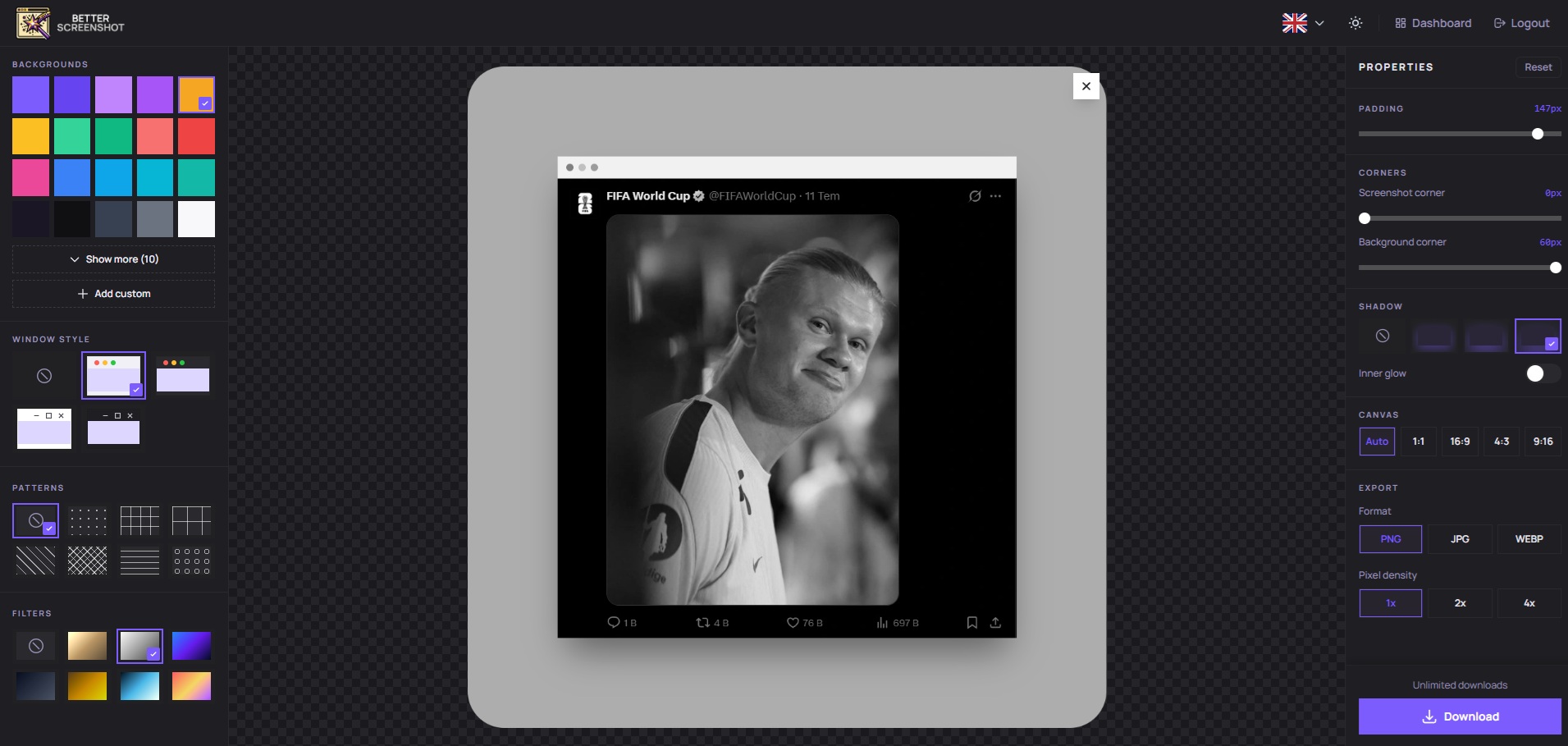
Create a polished screenshot in four focused steps: add your image, adjust the composition, apply presentation effects and download the final file.
Open the browser editor, sign in, then upload a screenshot file or paste an image directly from your clipboard.
Drop screenshot here
Upload or paste
Choose a background and adjust padding so the screenshot has enough breathing room for social posts, docs and product pages.
Clean presentation
Use shadow, visual filters and a window frame to make the screenshot feel polished while keeping the original content clear.
Export your finished screenshot as a high-resolution PNG, JPG or WebP image and use it wherever you share product visuals.
PNG / JPG / WebP
Ready to download
The essential screenshot beautification controls in one browser editor: background, padding, shadow, filters, window frame and high-resolution export.
Place your screenshot on a clean background so it looks intentional in product launches, social posts and documentation.
Add visual space around the screenshot to keep the composition readable, calm and professional.
Use shadows to separate the screenshot from the background and give the final image a polished presentation.
Apply filters to tune the mood and finish of your screenshot without opening a separate design tool.
Add a browser-style window frame when your screenshot needs context and a more product-ready appearance.
Download high-resolution images in the format that fits your workflow, from crisp UI posts to lightweight web assets.
BetterScreenshot removes the slow design-tool detour when you only need a professional screenshot for a launch, update or post.
Upload or paste your screenshot, adjust the style and export without installing software.
Background, padding, shadow, filter and window frame controls are all in one simple workflow.
Download finished screenshots as PNG, JPG or WebP for social platforms, documentation and product pages.
No hidden fees. Free tier never expires—3 exports per day, no watermark. Paid plans raise your daily limit and unlock premium styles.
Renews daily
Contact us if you create screenshots frequently and need a subscription option that fits your workflow.
Open BetterScreenshot, sign in, upload or paste a screenshot, then download a polished PNG, JPG or WebP image.
Free account includes 3 downloads per day. Subscription plans provide higher usage limits.
Quick answers about BetterScreenshot, editor access, screenshot customization, export formats, free limits and subscriptions.
Screenshot Presentation, Export Tips, and Social Sharing Strategies

Learn how to make screenshots look professional without Photoshop using BetterScreenshot. Add padding, shadows, frames, and filters directly in your browser and export high-quality images instantly.

Learn 10 powerful ways to make your product screenshots more engaging. Improve conversions, boost engagement, and create professional visuals using BetterScreenshot.
Learn how to design professional social media screenshots with BetterScreenshot. Discover tips, best practices, and tools to create high-impact visuals that boost engagement.